Venlly

Everyone caring for one person, in one place.

A shared huddle for a child or relative with complex medical needs, their family, and the professionals treating them.

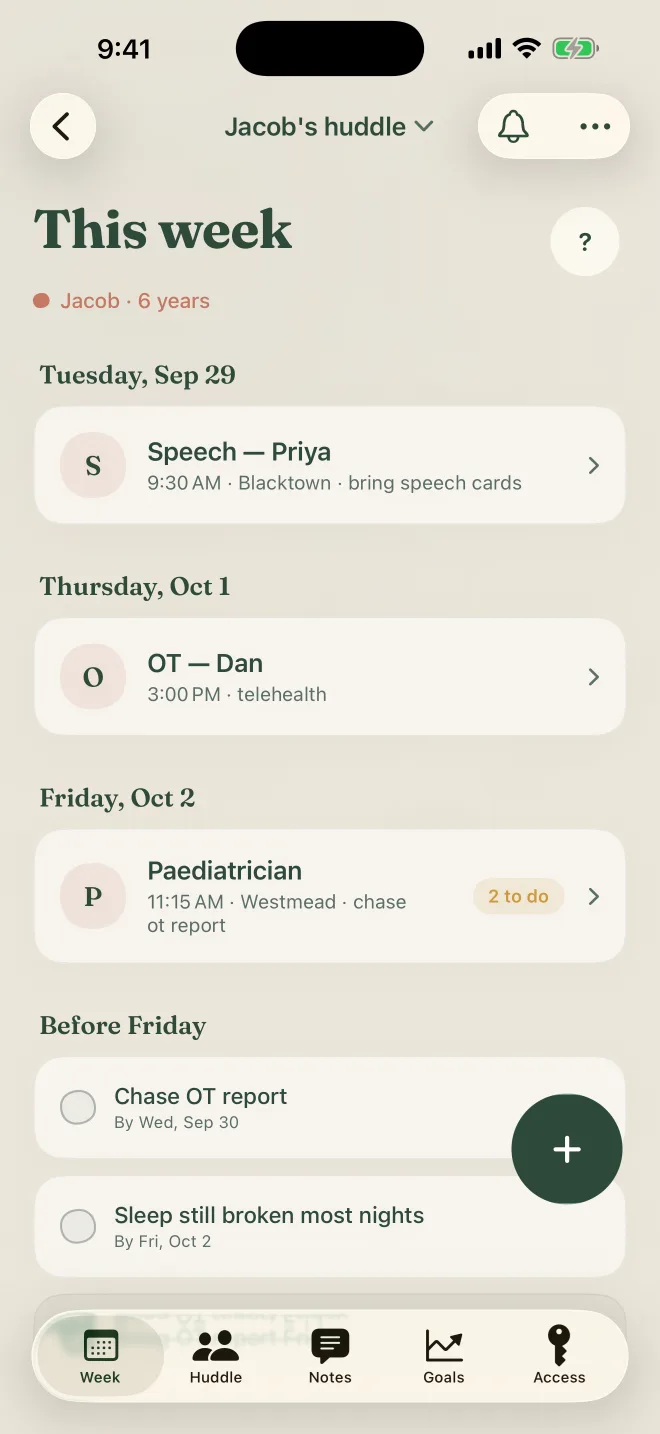
The This week screen in Venlly for Jacob, 6: speech with Priya on Tuesday, OT with Dan on Thursday, the paediatrician on Friday with two things to do first.

Caring for one person takes a whole team.

Mum has the appointments. Dad has the scripts. The speech therapist has her notes, and Nan just wants to know about Thursday.

It all lives in texts, emails and somebody's memory. Nobody holds the whole picture.

Venlly gives that picture one home.

One huddle for one person.

  1. 1Start a huddle

    Make one for your child, your parent, or yourself. It's the home for everything about their care.

  2. 2Invite the people who help

    Family, teachers and clinicians join with a code. Each gets their own access, and nothing more.

  3. 3Share the week

    Appointments, notes, goals and medications, kept current by everyone and seen by the right people.

The week, and what has to happen first.

Every appointment for the week, in order, for everyone in the huddle.

Say what must happen first, like the OT report before the paediatrician, and Venlly makes the reminder.

Routine care, such as vaccinations and screening, is worked out from the date of birth.
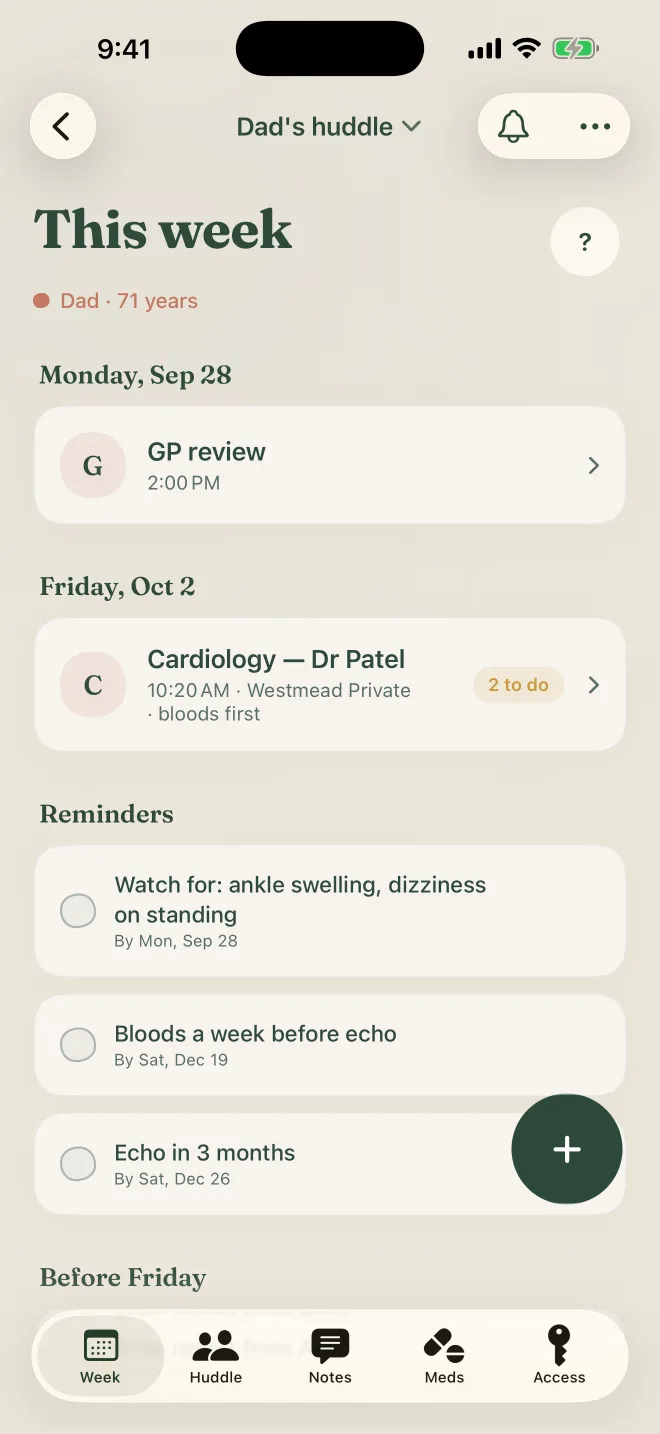
The This week screen in Dad's huddle: a GP review on Monday, cardiology on Friday with two things to do first, and reminders underneath.

Say what happened, once.

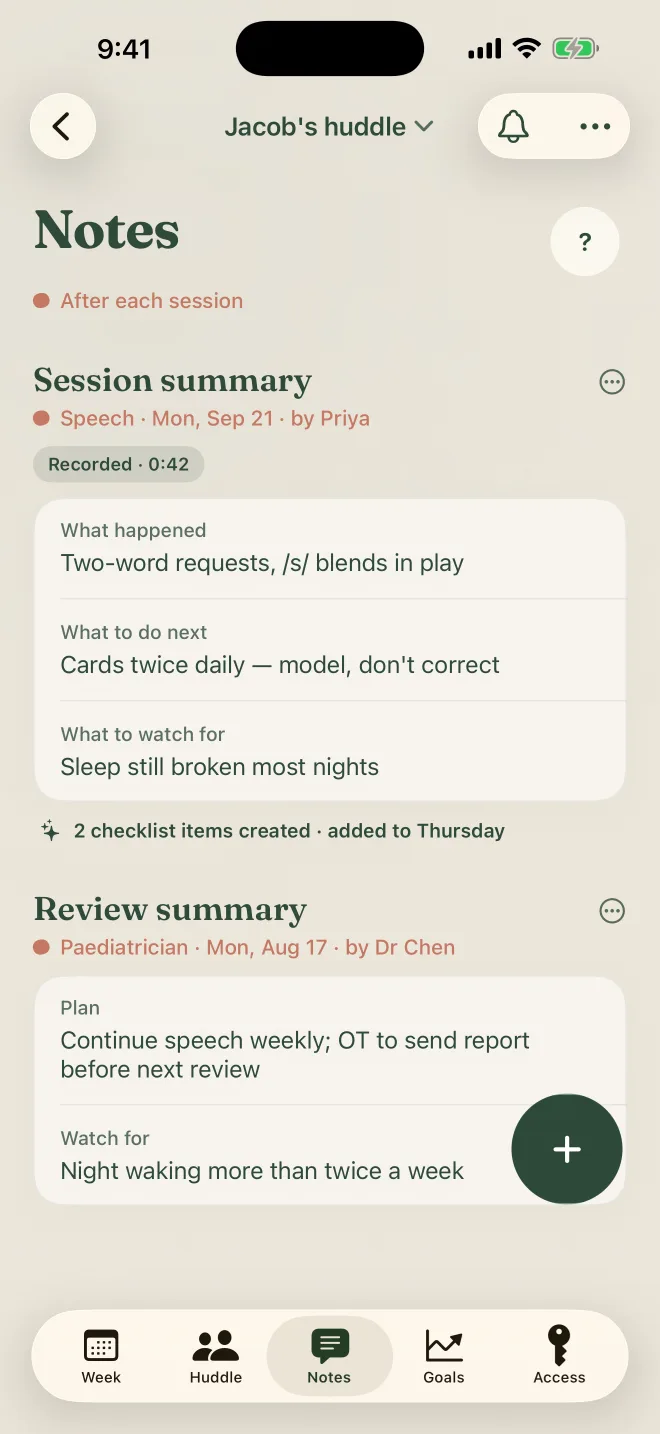
After a session, type or dictate a short summary. It becomes a note every carer can read.

What to do at home, or bring next time, turns into checklist items by itself.

Dictation happens on your phone. Only the text you keep is saved.

The Notes screen: a speech session summary split into what happened, what to do next and what to watch for, with two checklist items created from it.

One journey, every professional.

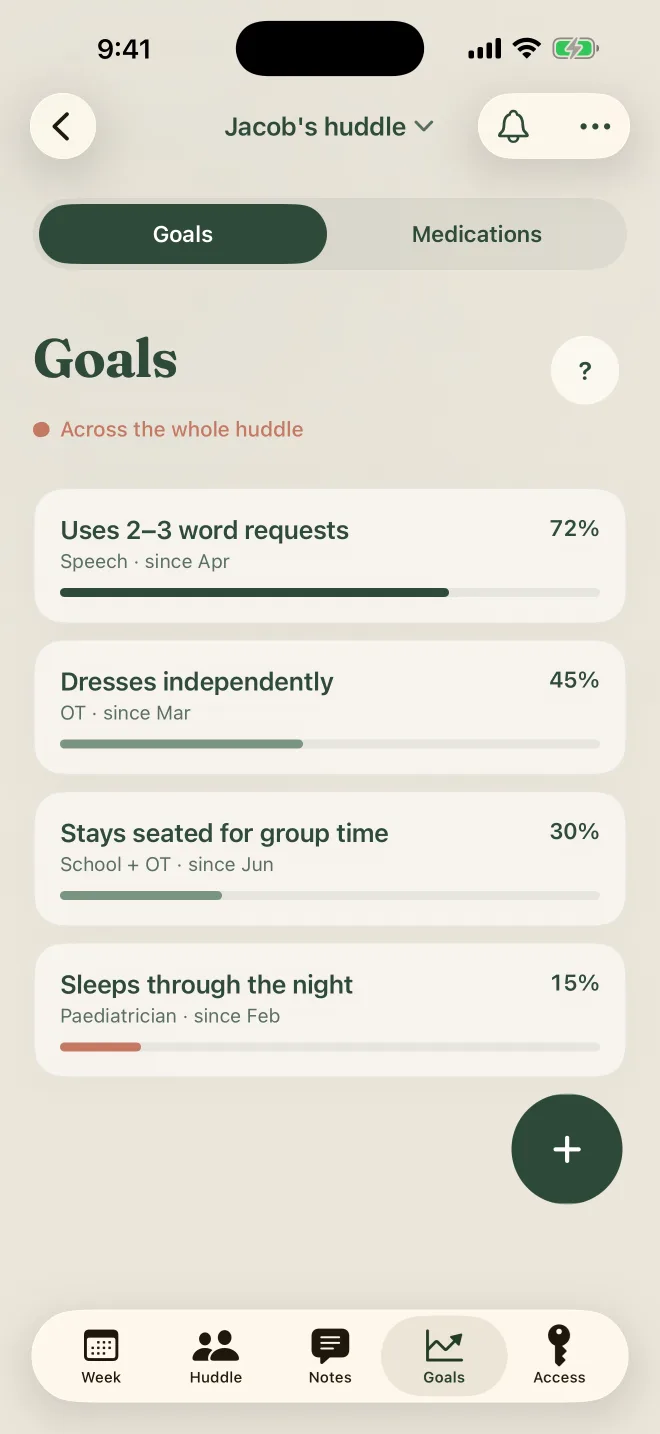
Speech, OT, school and the paediatrician each set goals. See them all in one place.

Progress moves as summaries come in, so everyone knows what they're working towards.

The Goals screen: goals from speech, OT, school and the paediatrician, each with progress and when it started.

Medications, always current.

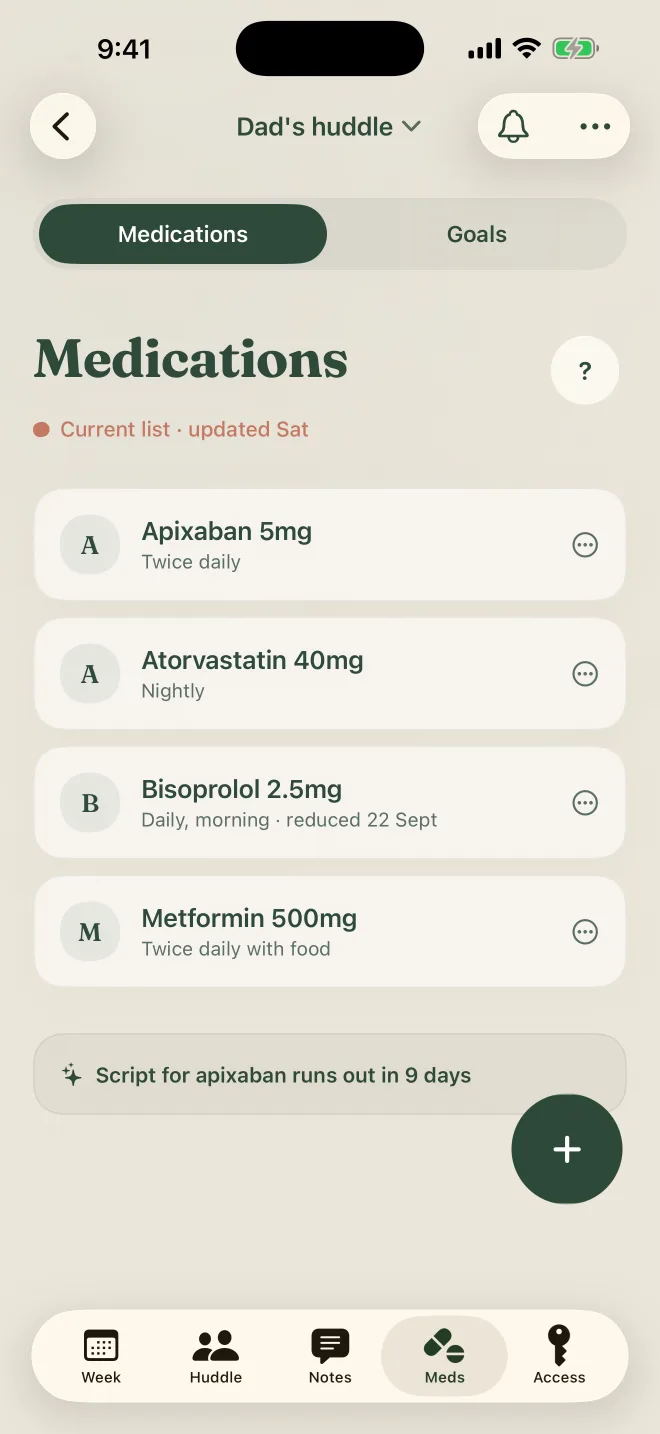
The whole list in one place, with every change kept.

A reminder comes before a script runs out, not the morning after.

The Medications screen: four medications with doses and schedules, and a note that a script runs out in nine days.

You decide who sees what.

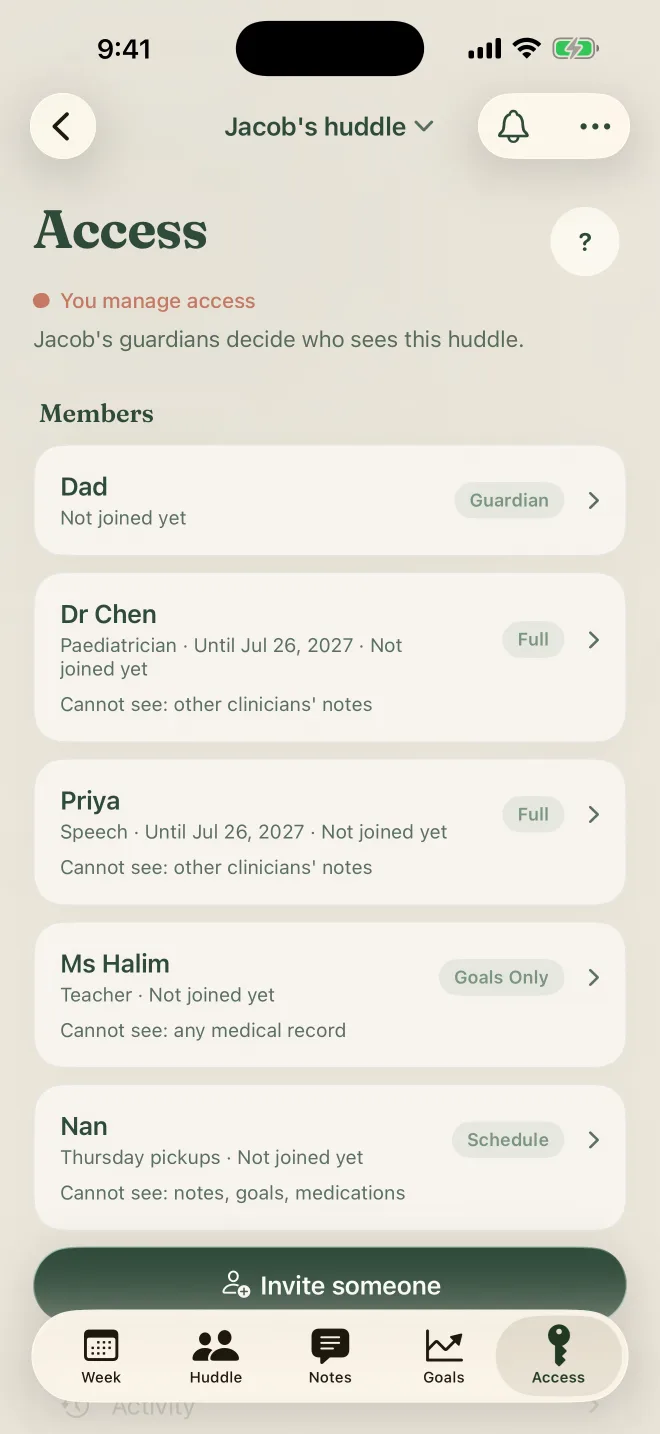
  • A teacher sees goals only, never a medical record.
  • Nan sees the schedule, for Thursday pickups.
  • A clinician sees their own notes and the family's, never another clinician's.
  • Access can end on a date, and you can take it back at any time.
  • Every view is logged, so you can see who looked at what.
The Access screen: Dr Chen and Priya with full access until a date, Ms Halim the teacher with goals only, and Nan with the schedule. Each row says what that person cannot see.

Two kinds of huddle.

A child's huddle

Owned by a parent or guardian. The guardians decide who joins and what each person sees.

The guardians decide

An adult's own huddle

For a parent, a partner, or yourself. The adult approves everyone who is added.

Family can set it up for them, with their consent, until they join and take over.

The adult approves

Your family's details stay in the huddle.

Dictation stays on your phone

Speech is turned into text on your iPhone. The audio is never uploaded.

Only the people you invite

Nobody sees a huddle unless they were invited, and then only the parts you chose.

Every view is logged

The owner can see who opened what, and when.

Access that ends

Give access until a date. Take it back whenever you like.

No ads, no selling

We don't sell or share your data, and we don't use it for advertising.

Leave any time

Delete your account in Settings. Your account and the huddles you own go with it.

Read the privacy policy

Have an invite code?

  1. 1Get Venlly from the App Store.
  2. 2Open it and tap Join with an invite code.
  3. 3Enter the six-character code from your invite.

You'll see who invited you, and what you'll be able to see, before you accept. On your iPhone, the link in your invite email opens the app for you.

Sagefor the eldersClayfor the little onesInkykeys and bells

Bring everyone into one huddle.

Download on the App Store